A Tool to Collect Google, Yelp & Facebook Reviews


Yes, a tool that lets you collect reviews on Google, Yelp, and Facebook all in one place is called review management software. This software provides a single link or QR code to send to customers, which then lets them choose their preferred platform to leave a review. This simplifies the process for your customers and consolidates your review generation efforts into one manageable dashboard.
These platforms are designed to automate the review request process, helping you systematically grow your reviews and improve your online reputation. Instead of manually sending links for each site, you can direct every customer to one simple, branded landing page.
The Challenge of Managing Multiple Review Sites
For a small business owner, managing customer reviews can feel like a juggling act. You have a business profile on Google, a page on Facebook, and an account on Yelp, each with its own login, unique link, and specific set of rules. Asking a customer for a review involves remembering which link to send and hoping they have an account on that platform.
This fragmented approach creates friction for both you and your customers. You might forget to ask, or you might ask a customer to leave a review on Google when they only use Facebook. This often leads to missed opportunities, a slow trickle of new reviews, and an inconsistent brand image across different platforms.
How Do All-in-One Review Collection Tools Work?
An all-in-one review collection tool acts as a central hub for your review requests. It's important to understand that these tools don't pull existing reviews from different sites into one feed for you to manage. Instead, they streamline the process of sending your customers to the correct review sites, making it incredibly easy for them to share their feedback.
This software automates the most time-consuming part of getting reviews: the ask. By connecting your various business profiles, you create a simple, repeatable system to generate a steady stream of new, positive reviews on the platforms that matter most to your business.
Creating a Single "Review Funnel"
The core mechanic of this software is the creation of a single "review funnel." First, you connect your business profiles, like your Google Business Profile, Yelp page, and Facebook business page, to the tool. The software then generates a unique, smart link or a custom landing page.
When a customer clicks this link, they don't go to Google or Yelp directly. They land on a simple page that displays the logos of your connected review sites. From there, they can simply tap the icon for the platform they prefer, and they are taken directly to your profile's review page to leave their feedback.
Automating the "Ask" with SMS and Email
The real power of these tools comes from automation. Most platforms can integrate with your existing Customer Relationship Management (CRM) software or point-of-sale system. This allows you to set up triggers, such as automatically sending a review request 24 hours after a customer makes a purchase or a service is completed.
If you don't use a CRM, you can simply upload a list of customer names, emails, and phone numbers. From there, you can build automated campaigns to send requests via SMS and email. This "set it and forget it" approach ensures you consistently ask every customer for feedback without any manual effort.
Directing Customers to High-Value Sites
Advanced tools offer features to gently guide customers. Review steering is the practice of encouraging happy customers toward a specific, high-value site like Google to boost your search rankings. This is generally acceptable.
However, you must be careful with review gating, which is the practice of filtering customers by their satisfaction level and sending unhappy customers to a private feedback form while happy customers are sent to public review sites. This is against the terms of service for major platforms like Google and can violate FTC guidelines. A key compliance point to remember is that Yelp's terms of service explicitly prohibit any form of selective review solicitation, whether positive or negative.
What to Know About Collecting Reviews on Google, Yelp, and Facebook
Each review platform has its own set of rules and best practices. A centralized tool helps you navigate these differences, but it's crucial to understand the landscape. A unified strategy must still respect the individual policies of each site.
The table below breaks down the key differences for the three most popular platforms for small businesses.
| Feature / Policy | Google Business Profile | Yelp | Facebook (Recommendations) |
|---|---|---|---|
| Directly Asking | Encouraged | Discouraged ("Don't ask for reviews") | Allowed and encouraged |
| Direct Linking | Yes, provides a direct review link. | Yes, but use with caution per their policy. | Yes, direct link to your page's reviews tab. |
| Review Display | All reviews are public and visible. | Uses an aggressive filter that can hide legitimate reviews. | Public, tied to a user's real profile. |
| Best For | Local search visibility (SEO) and general trust. | Customers actively searching for specific local services. | Building social proof and community trust. |
What Are the Benefits of a Centralized Review Tool?
Using a single tool to collect reviews on Google, Yelp, and Facebook provides several direct benefits that improve efficiency and positively impact your bottom line. It transforms a manual, inconsistent task into a predictable, automated business process.
- Saves Significant Time: The primary benefit is automation. Instead of manually finding links, drafting emails, and following up with customers, the software handles the entire workflow. This frees up hours each month that can be spent on running your business.
- Gets More Reviews, Faster: By making the process easy and asking every customer automatically, you dramatically increase the conversion rate of your requests. More reviews lead to better search rankings, increased trust, and more customers.
- Improves the Customer Experience: A professional, branded review request sent at the right time feels like good customer service. Giving customers a choice of platforms respects their preference and removes any friction, making them more likely to follow through.
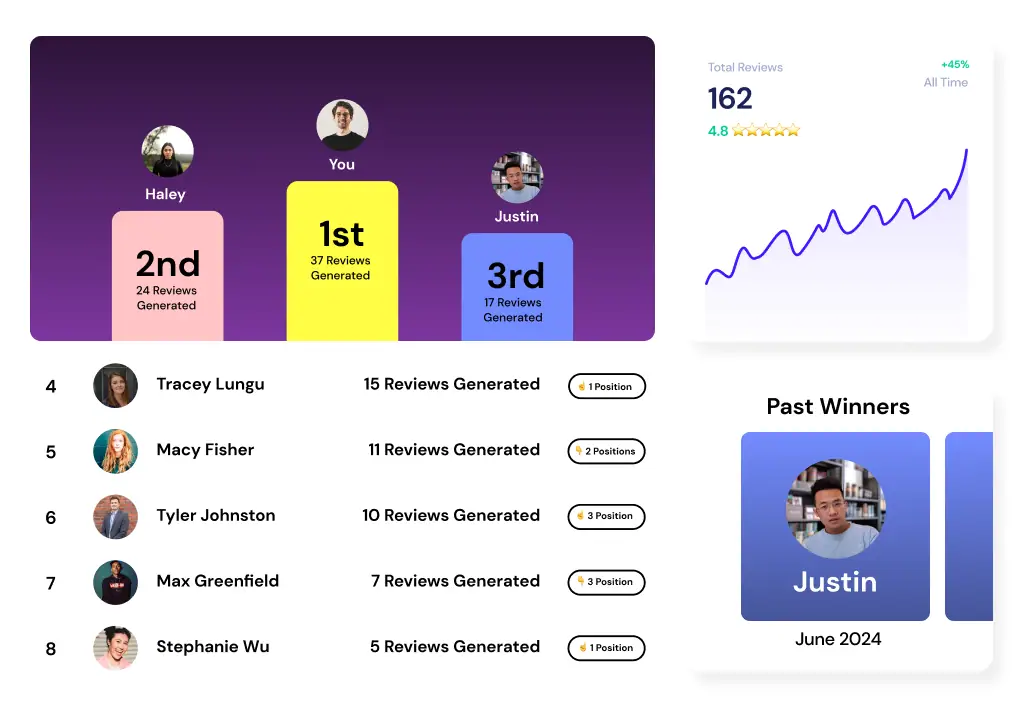
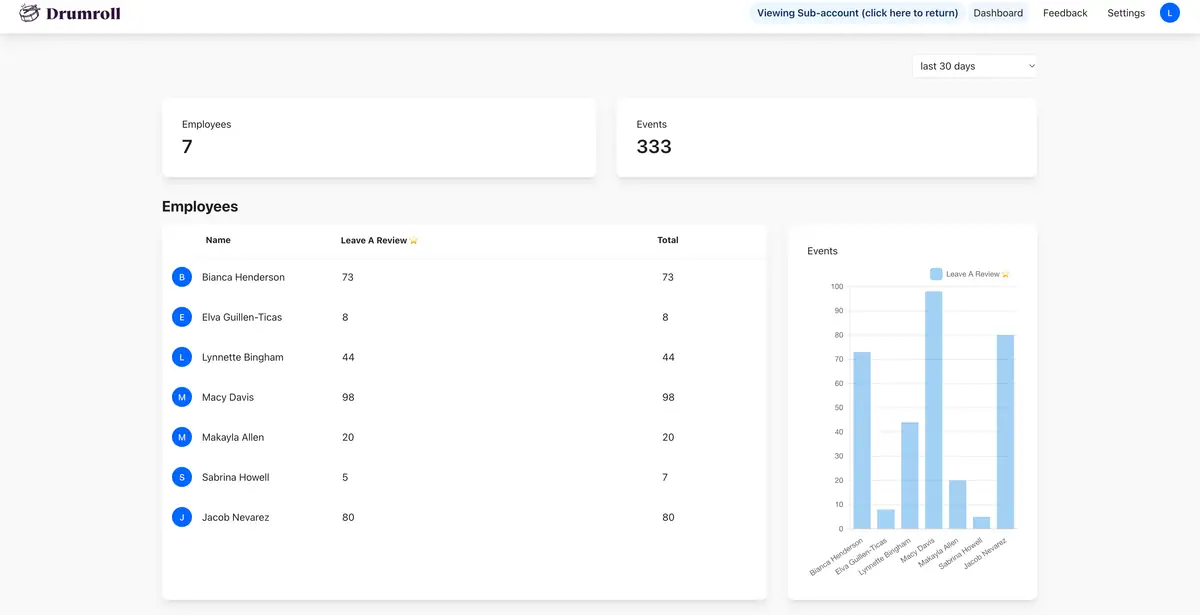
- Provides Actionable Data: A centralized dashboard provides clear insights. You can track email and SMS open rates, click-through rates, and which review sites are most popular with your customers. This data helps you refine your strategy over time.
Key Features to Look for in a Review Collection Tool
When you start comparing options, the number of features can be overwhelming. Focus on the core functionalities that will deliver the most value for your small business. Not all tools are created equal, and some are better suited for specific industries or business sizes.
Here are the essential features to look for:
- Multi-Platform Support: At a minimum, the tool must support the sites that matter to your customers, including Google, Facebook, and Yelp. If you're in a niche industry, check for support for sites like Tripadvisor, Avvo, or Zocdoc.
- SMS and Email Automation: The ability to automatically send requests is non-negotiable. This is the feature that saves you the most time and ensures a consistent flow of new reviews.
- A Simple User Interface: The software should be intuitive and easy for a non-technical person to set up and manage. A complicated dashboard you never use is a wasted investment. Many of the most affordable review tools prioritize simplicity.
- Reporting and Analytics: You need to see what’s working. Good software will provide a dashboard showing how many requests were sent, how many were opened, and how many new reviews were generated.
- Website Widgets: Look for tools that provide a simple code snippet to display your best reviews on your website. This is an excellent way to leverage your hard-earned social proof to convert website visitors into new customers.
Frequently Asked Questions
How much do these review collection tools cost? Costs vary widely, from around $50 to over $300 per month. Pricing is often based on the number of business locations, the volume of review requests sent, and advanced features like website widgets or detailed reporting. Many providers offer a free trial to test the software.
Can I automatically post my best reviews to my website? Yes, most modern review management tools offer a "review widget." This is a snippet of code you can add to your website to automatically display a feed of your latest 4- and 5-star reviews from sites like Google, creating powerful social proof.
Is it against the rules to filter out bad reviews? Directly preventing a customer from leaving a negative review on a public site (a practice known as review gating) is against the terms of service for Google and the FTC. However, many tools legally navigate this by first asking for private feedback and only directing satisfied customers to public review sites.
What’s the difference between review collection and review management? Review collection is the process of asking for and generating new reviews. Review management is a broader term that includes collection as well as monitoring all your review sites, responding to reviews, and analyzing feedback trends from one central dashboard.
Do these tools work for local service businesses? Absolutely. In fact, local service businesses like plumbers, electricians, and landscapers are primary users of this software. Automating review requests after a job is completed is a highly effective way to build a strong local reputation and attract new clients.
Choosing to centralize your review collection process with a dedicated tool is a strategic move to save time, enhance your online presence, and systematically grow your business. By automating the "ask" and simplifying the process for your customers, you turn customer feedback into a reliable engine for growth. This allows you to focus less on chasing reviews and more on delivering the excellent service that earns them.



Join the large list of small businesses using Drumroll!