How to Get More Online Reviews: A Small Business Guide


Getting more online reviews involves systematically asking every satisfied customer for feedback, making the process easy with direct links, and responding to all reviews promptly. The most effective methods include automated email and SMS requests, using QR codes for in-person businesses, and personalizing your follow-ups after a positive interaction. This approach builds trust and valuable social proof for your business.
Why Do Online Reviews Matter for Small Businesses?
Online reviews matter because they build trust and directly impact sales by providing social proof to potential customers. Social proof is the psychological concept that people look to the actions and feedback of others to determine their own choices, especially when they are uncertain. When potential customers see that others have had a positive experience with your business, they are more likely to trust you and make a purchase.
The data backs this up. According to BrightLocal, 87% of consumers read online reviews for local businesses in 2020. Positive reviews improve your visibility in local search results (a key part of local SEO), increase the conversion rate on your website, and provide a direct channel for customer feedback that can help you improve your operations.
The Foundation: Providing a Review-Worthy Experience
The easiest way to get good reviews is to earn them before you ever ask. No strategy or software can compensate for a poor customer experience. Before you implement any of the tactics below, ensure your core service, product quality, and customer interactions are exceptional.
Think of a review request as the final, logical step in a fantastic customer journey. When a customer is already delighted with their experience, asking for a review feels like a natural invitation to share their happiness. When the experience is mediocre, the same request can feel awkward or demanding.
10 Proven Strategies to Get More Online Reviews
Consistency is the most important part of any review acquisition strategy. The most successful businesses don't just ask for reviews sporadically; they build a system to request feedback from every customer. Combining several of the following strategies will create a powerful, ongoing stream of fresh social proof.
1. Just Ask: The Power of a Direct Request
The simplest method is often the most overlooked: ask for a review directly. Most happy customers are more than willing to leave feedback but simply don't think to do it on their own. A gentle, well-timed prompt is all it takes to get the ball rolling.
Train your staff to identify moments of customer delight. When a customer pays a compliment, like "That was the best haircut I've ever had!" or "You fixed the issue so quickly!", it's the perfect opportunity to follow up. A simple, "I'm so glad you loved the service! If you have a moment, would you mind sharing your experience on Google? It really helps our small business."
2. Automate Your Asks with Email & SMS
Automating your review requests is the single most effective and scalable way to generate a consistent flow of reviews. By setting up automated emails or text messages, you ensure no customer slips through the cracks. This method works for both e-commerce and service-based businesses.
Set a trigger for the request to be sent at the optimal time. For e-commerce, this might be 3-5 days after the product is delivered. For a service appointment, it could be 24 hours after the job is complete. This timing ensures the positive experience is still fresh in the customer's mind.
3. Use QR Codes for In-Person Businesses
For brick-and-mortar businesses like restaurants, retail stores, and salons, QR codes are a game-changer. A QR code is a scannable, two-dimensional barcode that a smartphone camera can read to open a specific webpage. This technology removes the friction of a customer having to search for your business and find the review link.
Place QR codes in high-visibility locations: on receipts, at the bottom of menus, on table tents, or on a small sign at the checkout counter. When scanned, the code should take the customer directly to your preferred review platform's "leave a review" page.
4. Add Review Links to Your Website & Email Signatures
Turn your existing digital assets into review-generating tools. Create a simple page on your website, such as yourcompany.com/reviews, that features a few of your best testimonials and includes direct links to your profiles on Google, Facebook, or other key platforms.
Additionally, add a simple, text-based link to employee email signatures. A line like "Happy with our service? Leave us a review!" provides a persistent, low-pressure invitation in every email you send.
5. Time Your Request Perfectly
Timing is everything. Asking for a review at the wrong moment can feel intrusive, but asking at the right moment can dramatically increase your success rate. The ideal time is immediately following a "moment of delight"—the peak of the customer's positive experience.
This could be right after they receive their order and express satisfaction, just after you've successfully resolved a customer support ticket, or upon completion of a service they're happy with. The closer your request is to this positive emotional peak, the more likely you are to get a glowing, detailed review.
6. Make It Incredibly Easy
Reduce the number of steps a customer has to take to an absolute minimum. The most common mistake businesses make is simply asking customers to "Find us on Yelp." Instead, provide a direct link that opens the review submission form.
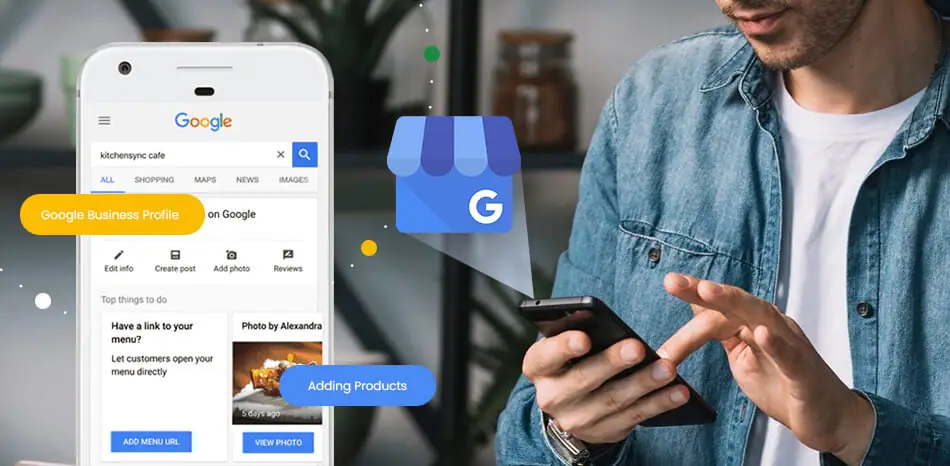
For Google, you can create a direct link in your Google Business Profile dashboard. For other platforms, navigate to the review submission page yourself and copy that specific URL. The fewer clicks required, the higher your conversion rate will be.
7. Respond to Every Single Review
Responding to reviews—both positive and negative—is critical for managing your online reputation. When potential customers see you actively engaging with feedback, it signals that you care about your customers and value their opinions. This, in turn, encourages more people to leave reviews.
Thank positive reviewers personally. For negative reviews, respond publicly with a professional and empathetic apology, and offer to resolve the issue offline. This public display of excellent customer service can often be more powerful than a five-star review.
8. Create "Leave a Review" Handouts
A physical reminder can be highly effective, especially for service-based businesses that visit customers' homes or for retailers. Design a simple, branded business card or a small postcard with a clear call to action.
Include a short URL (using a service like Bitly) and a QR code that both lead directly to your review page. You can include these in shopping bags, leave them behind after a service call, or hand them to customers with their final bill.
9. Personalize Your Follow-Up
Generic, mass emails get generic results. To significantly boost your response rate, personalize your review requests. Use the customer's first name and, if possible, reference the specific product they purchased or service they received.
Instead of "Dear Customer, please review us," try "Hi Jane, we hope you're enjoying your new espresso machine. We'd love to hear what you think!" This small touch makes the request feel like a personal follow-up rather than a marketing blast.
10. Showcase Your Best Reviews
Leverage your existing positive reviews to get more of them. By embedding a feed of your best reviews on your website's homepage, product pages, or a dedicated testimonials page, you accomplish two things. First, you provide powerful social proof to new visitors. Second, you subtly remind them that leaving a review is a common and valued action.
Which Review Platforms Should I Focus On?
You don't need to be on every platform; you need to be on the platforms where your customers are. Spreading yourself too thin is a common mistake. It's far more effective to dominate one or two relevant platforms than to have a weak presence on five. For most local businesses, Google Business Profile is the non-negotiable starting point.
Use this table to decide where to focus your efforts next:
| Platform | Best For... | Key Consideration |
|---|---|---|
| Google Business Profile | Virtually all local businesses (retail, service, restaurants). Crucial for local SEO. | The most important platform for local search visibility. |
| Yelp | Restaurants, home services, salons, and other local service businesses. | Has a strict policy against directly asking for reviews. Focus on providing a great experience. |
| Businesses with an active social media community and e-commerce brands. | Reviews are called "Recommendations" and are integrated with the business page. | |
| Industry-Specific | Niche businesses (e.g., TripAdvisor for travel, G2 for software, Avvo for lawyers). | These platforms carry high authority within their specific industry. |
What Are the Rules for Asking for Reviews?
Businesses must follow both the Federal Trade Commission (FTC) guidelines and the specific terms of service for each review platform. The most important rule is to be transparent and fair. You cannot selectively solicit positive reviews while suppressing negative ones—a practice known as review gating.
Review gating is the prohibited practice of filtering customers based on their sentiment before asking for a review. For example, sending happy customers to Google while directing unhappy customers to a private feedback form is against the rules. You must provide the same, easy opportunity for all customers to leave a public review, regardless of their opinion.
Furthermore, directly paying customers or offering free products in exchange for a review is almost always prohibited. Some platforms may allow you to enter customers into a drawing or contest for leaving feedback, but you must check the platform's terms of service first.
Frequently Asked Questions
1. Can I offer incentives for reviews? Generally, no. Most platforms, including Google and Yelp, and the FTC prohibit offering compensation for reviews. You can, however, offer incentives for feedback in general, or run a drawing/contest if the platform's terms of service allow it and you disclose the relationship.
2. How should I handle a negative online review? Respond quickly and professionally. Acknowledge the customer's issue, apologize for their poor experience, and offer to take the conversation offline to resolve it. This public response shows other potential customers that you take feedback seriously.
3. How long does it take to see results from a review strategy? You can see new reviews within days of implementing a consistent strategy, like automated emails. Building a significant volume of reviews and seeing a major impact on your search ranking can take several months of sustained effort.
4. Is it better to get reviews on Google or another platform? For most local businesses, Google is the highest priority due to its direct impact on local search and map visibility. After establishing a presence on Google, focus on the most relevant secondary platform for your specific industry.
5. What is review management software? Review management software is a tool that helps businesses monitor, request, and respond to reviews across multiple platforms from a single dashboard. It often automates the process of sending review requests to customers, saving you significant time and effort.
How many 5-star reviews does a rating goal take?
More than 60% of people look at reviews before they choose a local business, according to Forbes. If you know your current count and average, this estimates how many new 5-star reviews it takes to reach a higher average.
Calculate How Many Reviews You Need
⭐ Google Review Calculator
Crave Cookies: 333 Reviews in Just 6 Weeks

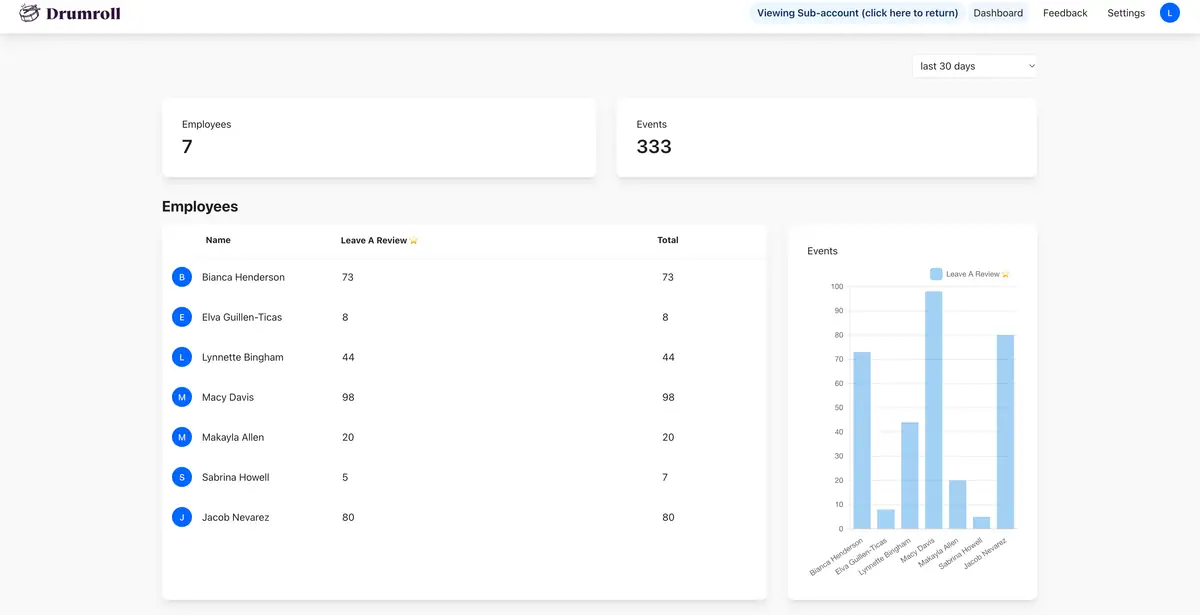
Crave Cookies in Las Vegas used Drumroll to generate over 333 Google reviews in just 6 weeks! They gave each employee their own NFC card, tracked performance, and celebrated top review earners. The results? More visibility, more orders, and better SEO.
Getting more online reviews isn't about finding a magic bullet; it's about creating a sustainable, ongoing process. By making a review-worthy experience your foundation and consistently applying these strategies, you can build a powerful engine for social proof. The key is to start today, be persistent, and always make it easy for your happy customers to share their stories.

Join the large list of small businesses using Drumroll!