Best Review Tools in 2026 for Small Local Businesses



A customer who has never met you will often decide from the reviews already on your Google Business Profile. In 2026, the review tool worth using is the one that asks while the work is still fresh, fits the software your team already closes jobs in, and shows you which employee helped earn each review.
This is a practical way to choose. It covers what to look for, where the bigger platforms fit, and how Drumroll handles the ask for a small local business.
What a review is doing for you
A review from someone who had the same job done reads like a recommendation from a neighbor. A run of recent ones is social proof that the business is still active and worth calling. When those reviews keep coming, the profile looks cared for, and a stranger has something concrete to trust before they reach out.
Three things are doing the work:
- A real experience. The review comes from someone who actually had the service, which is as close as a stranger gets to asking a friend.
- Social proof. Enough positive reviews, close enough to today, tell the next customer that other people already took the chance.
- Credibility. A pattern of specific, recent reviews is harder to dismiss than a logo and a tagline.
The tool only helps if it supports that on an ordinary Tuesday, when the team is already on to the next job.
How to choose a review tool in 2026
Start with four questions. What do you want: more reviews, or a place to reply to the ones you have? Which sites do your customers already use? Who on your team will actually run the tool? How many new reviews do you get in a month? Ten a month and a hundred a month are different products.
The features that earn their place are simple. An automatic ask when the work is done. One feed of new reviews. An alert when one lands. A way to reply. A plain count of volume and rating. And a record of which employee the review belongs to.
Match the ask to the work. A plumber or HVAC tech needs a text or a tap before they leave the driveway. An office can send the ask when the appointment is marked complete. A remodeler should wait until the project is finished, not the hour the invoice goes out.
Connect the tool to whatever already knows a job is done, whether that is a CRM, a point of sale, or field-service software, so the ask leaves with the finished job. Then shortlist a few, sit through a demo, use the trial, read what other owners wrote, and make sure you can reach a person when it breaks.
If the budget is the constraint, start with affordable Google review tools. For named platforms and the price ranges already published for them, see the best review management software for small business.
Where the bigger platforms fit
A lot of review software was built for a marketing team. Setup often assumes a CRM, a point of sale, or a marketing suite, and the product bundles listings, an inbox, surveys, and sometimes a phone system. That is a reasonable buy when you will use the rest of the suite. Birdeye pricing, Podium pricing, Weave pricing, and the best online reputation management companies lay out who each of those is for.
A small local team usually needs a narrower job: ask the happy customer, and know which employee helped. Drumroll is built around that job. It can sit next to the CRM you already run, rather than asking you to replace it.
How Drumroll gets the review
Drumroll asks in two ways, and they are meant to work together.
At the counter or on the driveway. Each employee can carry an NFC card. The customer taps the card with their phone and your Google review page opens. There is no app to install, no link to type, and no inbox to dig through later. It fits the moment the person is standing there, still happy with the work. A cafe counter, a finished repair in the driveway, and the last walkthrough of a job are the same kind of moment.
From the CRM, after the job is closed. Drumroll connects to multiple CRMs, and to the job tools a field team already uses to close out work. Once that connection is on, a finished job can send a text message asking the customer for a review. Your team keeps closing work where they already close it. The text goes out because the job was marked done, which is the reliable trigger on a busy week. Email can carry the same ask when that is how you reach the customer. The integrations page is the live list of what connects today.
That is the part that changes the habit. An owner who means to text every happy customer at 8 p.m. will miss the long days. A connection that watches for a completed job does not get tired, and it does not depend on someone remembering a name from three stops ago. You still choose which kinds of jobs send an ask, and you can pause a connection when you want the texts to stop.
A unique link for each employee
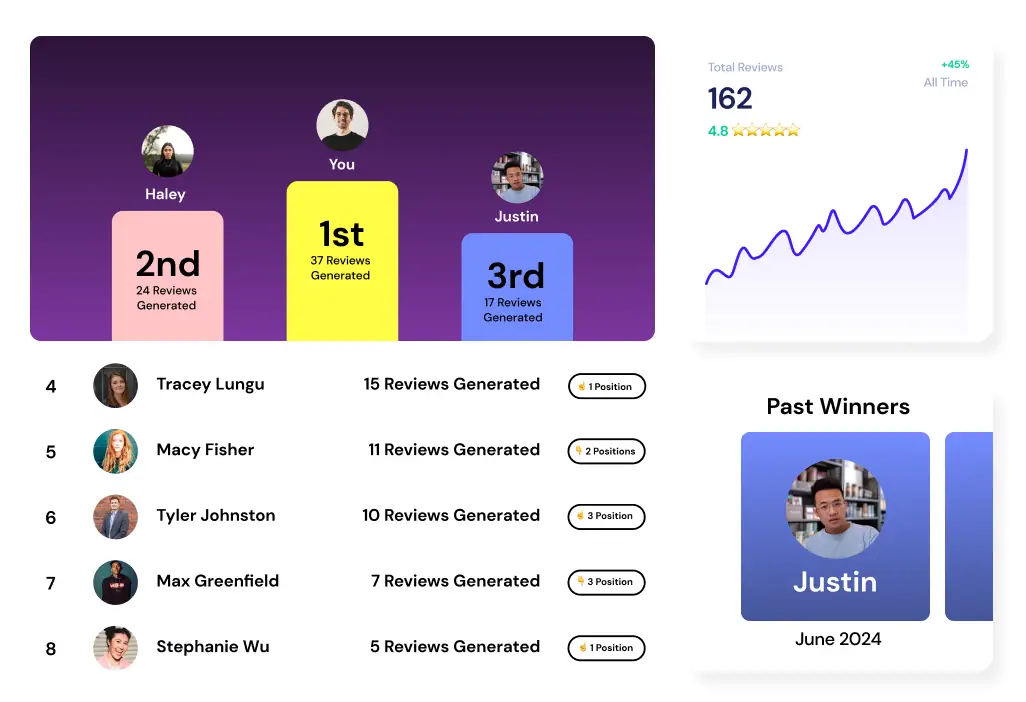
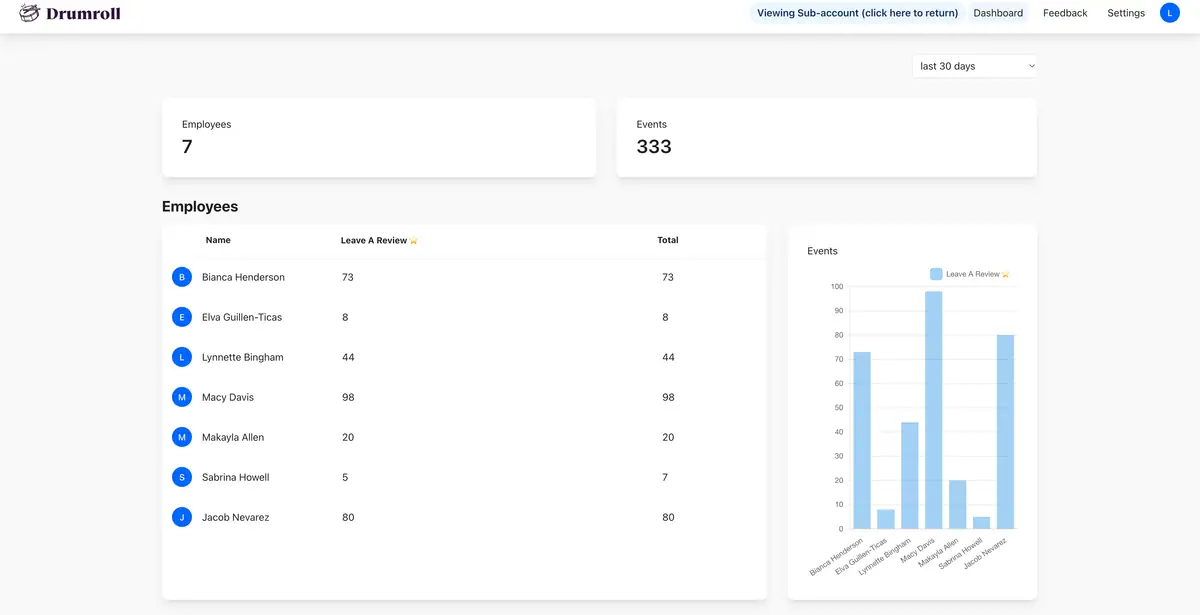
The same setup gives each employee a unique link. The text uses that person’s link, and so does their card. When a review comes in, you can see which employee helped earn it.
The count lives in Drumroll. You are not asking the customer to type a name into the Google review. That distinction matters in 2026, with Google’s tighter rules on reviews that exist to mention an employee. The short version of that shift is in the note on employee names in reviews. What you keep is an internal record: this review followed the work this person did.
A single shared link cannot tell you that. Every review lands in one pile, the star count moves, and you still do not know who asked. Separate links make the pile sortable. Over a week you can see who is earning reviews, which shifts or routes have gone quiet, and whether a slow week was a slow week or a week when the asks never went out. You can thank the people who keep reviews coming in, because you can see their work in the list.
Crave Cookies used that kind of per-employee tracking, with each person carrying their own card, on the way to 333 Google reviews in six weeks. The number is theirs. The useful lesson is the setup: the ask was easy, and the owner could see who was making it.
What the connection will and will not do
A few controls are worth knowing before you turn a CRM connection on. They are there so the texts stay welcome.
- A job sends one ask, so a completed visit does not text the customer twice.
- Customers who already left a review are not asked again.
- Opt-outs and quiet hours are honored.
- You can pause or disconnect anytime, and the cards still work on their own.
The text is a follow-up for the customer you reach after they have left, and for the one who said they would leave the review later. The card is for the customer standing in front of you. Most small teams need both, because some jobs end with a person in the room and some end with a closed ticket after they have gone home.
How Drumroll compares with the rest
If you want the review tied to the job your team already finished, Drumroll covers the in-person tap and the automatic text, and it keeps the unique link so you can see who earned the review. There is no annual contract. The wider suites are the right comparison when you are buying a phone system, text-to-pay, listings across many locations, or a CRM to replace the one you have. The pricing pages linked above are where those numbers live. Drumroll handles the review and leaves that stack alone.
If you are still deciding how to phrase the ask, how to ask customers for Google reviews walks through the wording. The software only helps when the sentence itself is easy to say out loud.
If you want to see how the text and the employee link would work with the software you already close jobs in, book a call.


Join the large list of small businesses using Drumroll!